
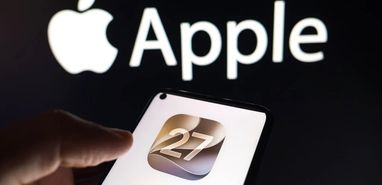
Apple has opened the iOS 27 Public Beta to iPhone users, offering an early look at the company’s next major software update before its official release later this year.
The update brings performance improvements, refinements to the Liquid Glass interface, new Apple Intelligence capabilities, smarter system apps and expanded automation tools. Apple has also previewed Siri AI, a substantially more capable version of its voice assistant.
However, not every announced feature is necessarily included in the current public beta. Apple says the new Siri AI experience will become available as a beta later this year, initially in English and on supported devices.
As tempting as it may be to install iOS 27 immediately, there is one important question every iPhone owner should ask:
Is it worth installing unfinished software on your primary device?
For some users, the answer will be yes. For many others, waiting for the final release may be the smarter choice.
What Is New in iOS 27?
Apple is positioning iOS 27 as a substantial update focused on intelligence, speed, reliability and everyday usability.
According to Apple’s official iOS 27 preview, the update introduces or prepares the iPhone for:
- Siri AI powered by Apple Intelligence
- Faster app launches and smoother system performance
- Further refinements to the Liquid Glass interface
- Improved photo-editing tools
- More intelligent Safari organisation
- Natural-language Shortcuts creation
- Better password management
- Improved Mail search
- Expanded child-safety and parental-control features
- Smoother transitions between Wi-Fi and mobile networks
Apple says apps can launch up to 30% faster under certain test conditions, while photos may load more quickly and AirDrop transfers can deliver substantial performance improvements.
The experience will vary according to the iPhone model, battery condition, installed apps and the particular beta build being used.
TechLoot previously explored how public testing can provide an early view of Apple’s plans in our coverage of the iOS 18 Public Beta. As before, the newest features come with the possibility of instability and unexpected behaviour.
Siri AI Is the Biggest Upgrade, but There Is a Catch
The new Siri AI experience is the headline feature of iOS 27.
Apple says Siri AI will support natural, back-and-forth conversations and provide more detailed answers. It will also be able to use personal context from apps such as Mail, Messages, Photos and Notes to locate information and complete tasks.
Instead of requiring rigid voice commands, Siri AI is designed to understand more conversational requests. It can also take actions across compatible apps, respond to information displayed on the screen and retrieve current information from the web.
A dedicated Siri app will allow users to view previous conversations, continue discussions across supported Apple devices and pin important chats.
Apple also says Siri AI will be able to help users write and edit text. In Messages and Mail, it will attempt to match the user’s usual style, tone and punctuation.
This is a major step beyond the earlier ChatGPT integration introduced with Siri, which allowed the assistant to pass certain requests to OpenAI’s chatbot with the user’s permission.
However, users should manage their expectations. Apple says Siri AI will enter beta later in 2026, beginning with English. This means the complete Siri AI experience may not be available in the current iOS 27 Public Beta.
Apple has also stated that Siri AI will not initially be available on iPhone and iPad in the European Union. Feature availability may therefore depend on the user’s device, language and region.
Not Every iPhone Will Support Every AI Feature
iOS 27 itself supports a broad range of devices, beginning with the iPhone 11 series and the second-generation iPhone SE.
Compatible models include:
- iPhone 17 models
- iPhone Air
- iPhone 16 models
- iPhone 15 models
- iPhone 14 models
- iPhone 13 models
- iPhone 12 models
- iPhone 11 models
- iPhone SE, second generation and later
However, installing iOS 27 does not mean every feature will be available.
Apple Intelligence and Siri AI require more capable hardware. Apple says these features are supported on the iPhone 15 Pro, iPhone 15 Pro Max, all iPhone 16 models and later compatible devices.
Owners of older supported iPhones will still receive interface, performance, security and app improvements, but they should not expect the complete Apple Intelligence experience.
Hardware requirements have been a defining part of Apple’s AI rollout from the beginning. Our comparison of the iPhone 11 and iPhone 16 explains how newer processors and additional memory enable advanced on-device AI capabilities that older models cannot provide.
Liquid Glass Returns With Better Readability
Apple is not replacing the iPhone interface, but it is continuing to refine the Liquid Glass design introduced with iOS 26.
The design uses transparency, refraction and layered visual elements throughout menus, controls, icons and widgets. Although the original version created a distinctive appearance, some users found that heavy transparency made certain elements harder to read.
In iOS 27, Apple says it has improved contrast and made refraction more consistent. App icons are sharper, while a new control allows users to adjust the appearance of Liquid Glass from highly transparent to more heavily tinted.
These changes should make the interface easier to personalise without forcing every user to accept the same level of transparency.
The overall appearance remains recognisably iOS. This is a refinement rather than a complete redesign, with Apple concentrating on readability, responsiveness and consistency.
Safari, Passwords and Shortcuts Become More Useful
Some of the most practical iOS 27 improvements are found in apps people already use every day.
Safari can automatically organise browsing into relevant categories, which may make it easier to manage large numbers of open pages and find previously viewed content.
The Passwords app can identify weak or compromised credentials and, on supported websites, help users update them with less manual effort.
Shortcuts is also becoming easier to use. Instead of building every automation one action at a time, users can describe what they want to happen in natural language. Shortcuts can then connect the required actions across compatible apps.
This could make automation accessible to people who previously found Apple’s Shortcuts interface too complicated. It also continues the broader expansion of Apple Intelligence that TechLoot covered when looking at earlier Apple Intelligence upgrades.
Should You Install the iOS 27 Public Beta?
That depends on how you use your iPhone.
If you are a developer, technology enthusiast or experienced beta tester, the public beta offers an interesting preview of Apple’s latest work. It also gives you an opportunity to report problems before the final version reaches the wider public.
However, beta software is unfinished by definition. Even a public beta that appears stable can contain:
- Unexpected crashes
- Increased battery drain
- Device overheating
- Slow or inconsistent performance
- App compatibility problems
- Broken banking or authentication apps
- Bluetooth and connectivity issues
- Missing or incomplete features
- Interface elements that change between builds
A beta can work perfectly for one person and cause serious problems for another. Differences in apps, accessories, network settings and iPhone models can produce very different results.
Apple’s later beta builds are generally more stable than the earliest developer releases. TechLoot saw a similar pattern when examining iOS 18 Beta 7, but improved stability does not make beta software risk-free.
If your iPhone is essential for work, banking, travel, two-factor authentication or family communication, waiting for the final release is usually the safer option.
What to Do Before Installing the Beta
If you decide to install iOS 27 Public Beta, prepare your iPhone first.
You should:
- Create a complete backup using iCloud or a computer.
- Confirm that your banking, work and authentication apps support the beta.
- Make sure you know your Apple ID password.
- Free enough storage for the update.
- Charge the iPhone or connect it to power.
- Save important photos and documents separately.
- Be prepared for battery and performance issues.
- Understand that returning to the current public version may require erasing the device.
Do not rely exclusively on a backup created after installing the beta. A backup produced by a newer iOS version may not restore correctly to an older public release.
Users should enrol only through the official Apple Beta Software Program. Avoid downloading profiles, installation packages or configuration files from unofficial websites.
If the installation becomes stuck, some of the troubleshooting methods in our guide to fixing an iOS update stuck on Preparing Update may also be helpful.
How to Install iOS 27 Public Beta
Once your device has been backed up, the installation process is relatively straightforward:
- Visit Apple’s Beta Software Program website.
- Sign in using the Apple Account connected to your iPhone.
- Enrol the device and accept the applicable terms.
- Open Settings.
- Select General.
- Tap Software Update.
- Open Beta Updates.
- Select iOS 27 Public Beta.
- Return to the previous screen and install the available update.
The download may take some time, depending on your internet connection and Apple’s server traffic.
After installation, future public beta builds should appear in the Software Update section automatically.
Can You Return to iOS 26?
Yes, but leaving the beta may be more complicated than installing it.
You can stop receiving future beta updates by opening Settings, selecting General, choosing Software Update and turning off Beta Updates. However, this does not immediately remove the beta version already installed.
To return to the current public version of iOS straight away, you may need to connect the iPhone to a Mac or PC, place it into recovery mode and restore it. This process erases the device.
Apple provides official instructions for removing iOS beta software, and users should read them before installing the public beta.
This is another reason a full backup is essential. Without a compatible backup, returning to the stable version could result in data loss or a lengthy manual setup process.
When Will the Final Version Arrive?
Apple says iOS 27 will be released as a free software update in the autumn.
The company has not confirmed an exact release date. Major iOS versions traditionally arrive close to the launch of the next iPhone generation, which usually places the release in September.
Before then, Apple is expected to issue several developer and public beta updates. These builds should address reported bugs, improve battery life, refine the interface and prepare third-party apps for the final release.
Some announced features, including Siri AI, may follow a separate schedule and could remain in beta after the main iOS 27 release.
Is the iOS 27 Beta Worth the Risk?
For most users, probably not yet.
The performance improvements, refined Liquid Glass design and smarter built-in apps make iOS 27 look promising. However, the headline Siri AI experience is not guaranteed to be included in the current public beta and will initially have device, language and regional restrictions.
If you have a secondary compatible iPhone, the public beta is a much safer way to explore the update. Installing it on a spare device allows you to test the new features without risking access to your everyday apps and accounts.
If you only own one iPhone and depend on it throughout the day, waiting for the final release is the more sensible decision.
Final Thoughts
The iOS 27 Public Beta provides an early look at Apple’s continued investment in artificial intelligence, performance and everyday usability.
Siri AI could become one of the most significant changes to the iPhone in years, while improvements to Safari, Passwords, Shortcuts and system performance may prove more immediately useful to many people.
Nevertheless, a public beta remains unfinished software. Crashes, battery drain, incompatible apps and installation problems are all possible.
Enthusiasts with a secondary device may enjoy exploring what Apple is preparing. Everyone else will probably have a smoother and more reliable experience by waiting for the official iOS 27 release later this year.







By Radoslav Jokic
Updated on 6th August 2026